Raw Korean manhwa, readable in English as you scroll.
New episodes appear on Korean webtoon platforms long before any English release. If you want to keep up, you can translate the raw Korean chapter on the page where it is published. Here is how to translate Korean manhwa to English step by step, what the one-time Korean download does, and what our test on a long chapter showed.
How do I translate Korean manhwa to English?
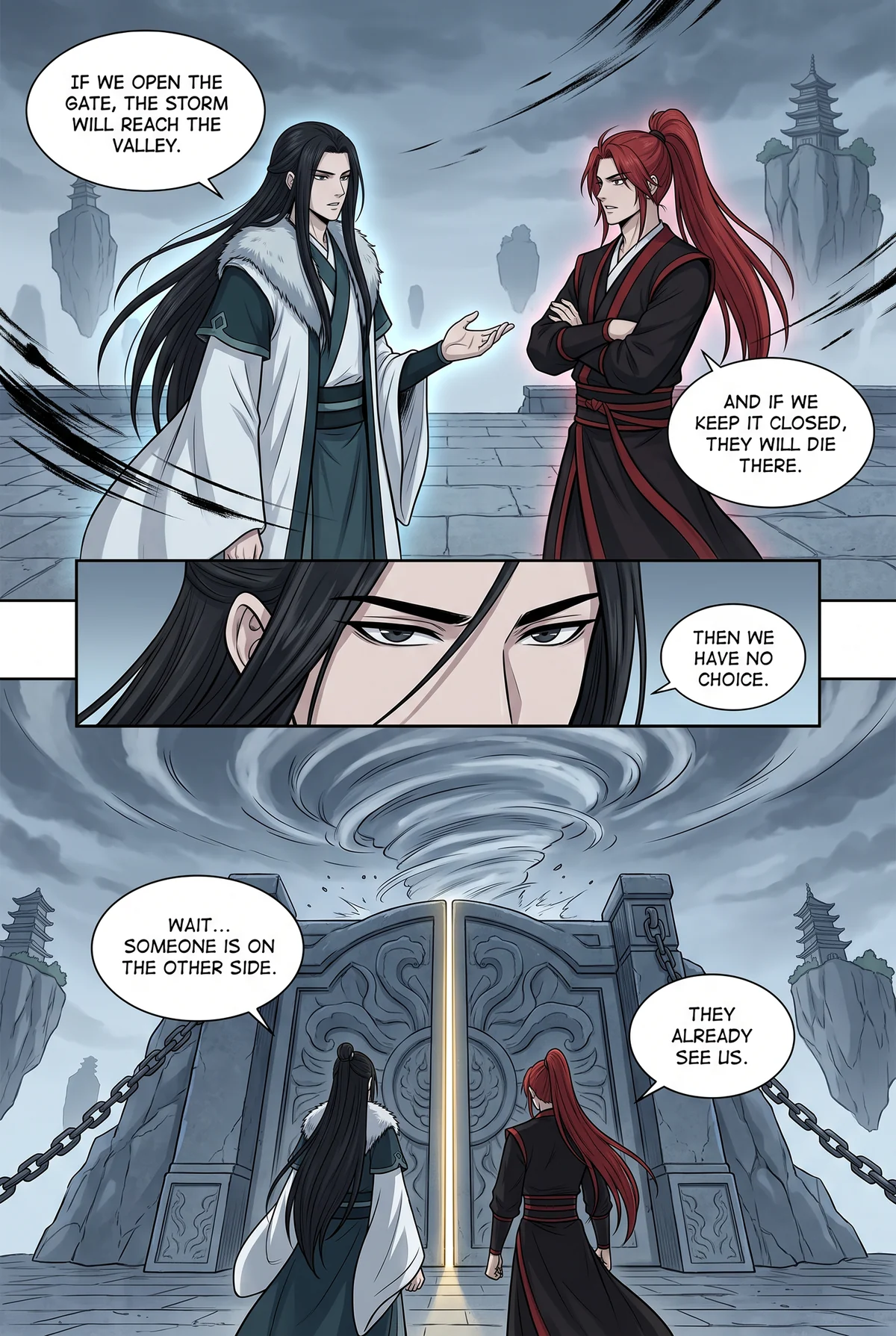
Open the Korean chapter in desktop Chrome, choose English in Manhwave and click Translate this chapter. The first time, a small Korean text reader (13.5 MB) downloads once, automatically on Korean sites; after that the extension reads the Hangul, translates each part of the strip and letters the English into the bubbles as you scroll. The first few pages before the reader is ready may be less accurate.
Key facts
- Korean is read by a small extra reader, 13.5 MB, downloaded once.
- On a 132-page test chapter it was ready after 9 pages.
- Translates into English or 25 more languages, lettered in the bubbles.
- Credits are counted by text, not by images, so long webtoon strips are not more expensive; paid reading costs from about 1 cent per chapter.
Why raw Korean chapters are worth translating.
Korean webtoons are published episode by episode on Korean platforms, usually weekly. Official English editions on platforms such as WEBTOON, Tapas, Tappytoon or Manta often start later, run behind the Korean release, or cover only some series. Readers who want the latest episode end up looking at Hangul they cannot read.
The good news is that Korean webtoons are some of the easiest comics to translate automatically. Hangul is written horizontally, bubbles are usually clean and typed, and pages are in colour with plenty of space around the text. The main challenge is the format, not the script. For the bigger picture of how Korean, Japanese and Chinese comics differ, see manga vs manhwa vs manhua.
How to translate Korean manhwa to English, step by step.
Install Manhwave
Add the extension to Chrome on a desktop computer. No account and no API key are needed to start.
Open the Korean episode
Go to the episode on the Korean platform where it is published. The site must show the strip as regular images.
Choose English
Pick English as the target language, or any of the 26 languages on the list.
Click Translate this chapter
On a Korean site, the Korean reader starts downloading automatically. On other sites the extension asks first.
Scroll and read
The parts of the strip you are looking at are translated first. There is no auto-scroll, so read at your own pace.
The download happens once. On your next Korean chapter the reader is already there and translation starts straight away. Hover over a bubble at any time to see the original Korean line.
What the 13.5 MB Korean reader does.
Manhwave recognises text on your own computer, and full-size pages are never uploaded or stored. Korean uses its own small text reader, a separate 13.5 MB download, so readers who never open Korean pages do not have to carry it.
It downloads automatically when you translate on a Korean site, and otherwise only after asking you. Until it is ready, the first few pages of a chapter may be read less accurately. After that, Korean pages are recognised locally like any other, and full-size pages are never uploaded or stored.
Judge the quality after the Korean reader is ready, not on the first few pages of your very first Korean chapter. If a page fails, you can retry it without paying again.
Long strips and split bubbles.
A Korean webtoon episode is one tall vertical strip that the platform serves as a stack of image slices. Our Korean test chapter had 132 of them. Two things follow from that.
- Translation follows your scroll. Manhwave translates what you are looking at first and keeps going as you move down, so you can start reading long before the end of the strip is done.
- Bubbles can sit on a seam. When a bubble crosses the line between two image slices, any tool has to piece it back together. If a line looks cut short, hover to check the original.
EN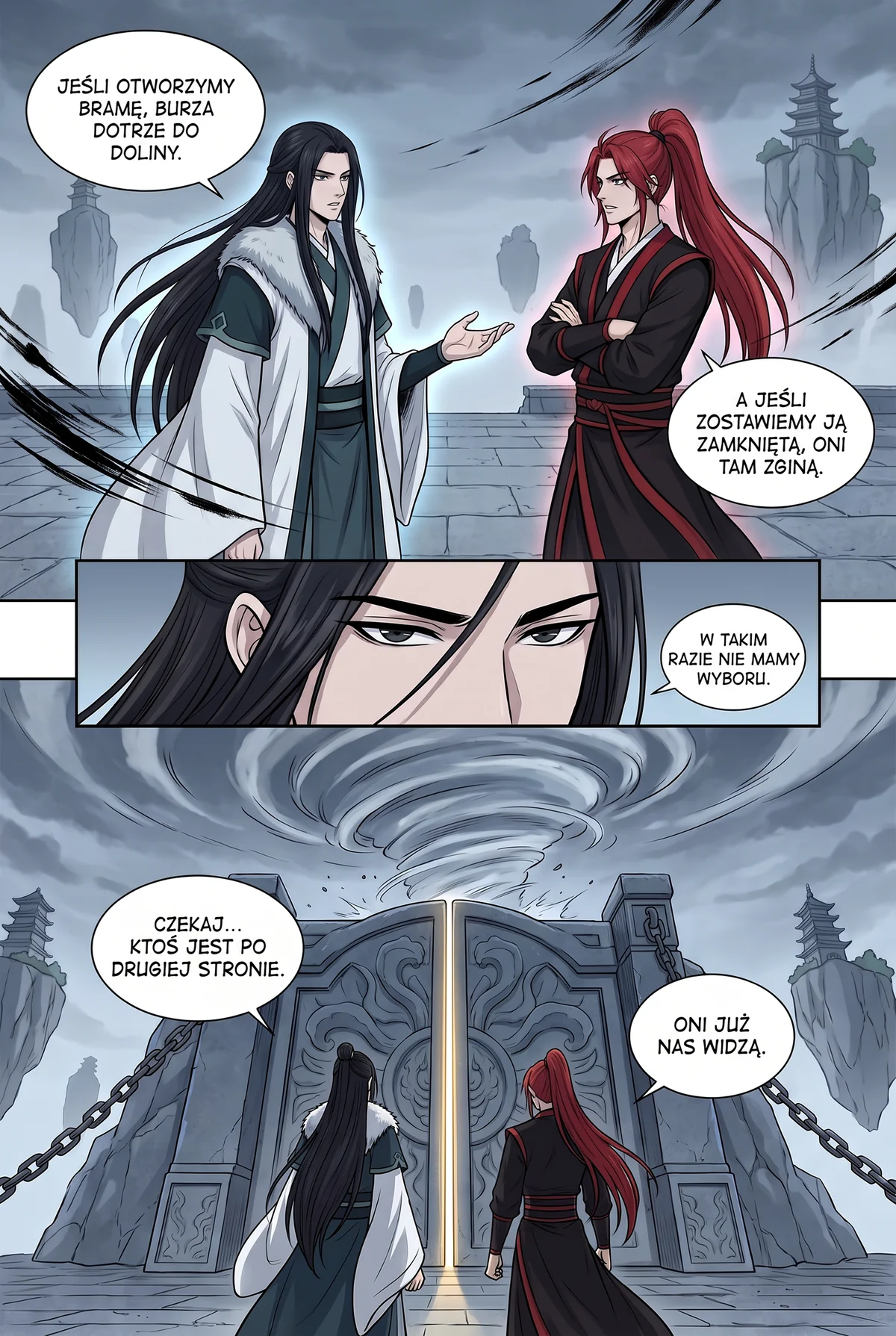 PL
Our separate guide to the manhwa translator goes deeper into long-strip reading.
Honorifics, names and murim terms.
Korean dialogue leans heavily on relationships: titles for older siblings and seniors, formal and casual speech, sect ranks in martial arts stories. A good translation keeps those relationships clear in English even when there is no direct equivalent. Translating each page as a whole, rather than line by line, helps keep who is speaking to whom consistent.
Murim and hunter stories bring their own vocabulary for martial arts techniques, sects and ranks. If a term looks unfamiliar, the hover shows the Korean original so you can recognise it next time. If you also want to learn the language, try our routine for learning Korean with webtoons.
Limits and what it costs.
- Regular images only: some platforms draw the strip on a protected canvas, and those pages cannot be read.
- Desktop Chrome only: there is no mobile version and no Firefox or Safari version, so reading on your phone is not covered.
- First pages: the very first Korean chapter may have a few less accurate pages while the Korean reader downloads.
- Sound effects are left as drawn.
Credits are counted by text, not by images, so long webtoon strips are not more expensive. You get 50 free credits every week without an account, or 100 after confirming your email, topped up rather than stacked. Plans start at $4.99 a month for 1,000 credits; the pricing page has the details, or start with the free weekly credits. If you would rather read in Spanish, Polish or another language, see translating manga into your language.
What we measured.
Our own measurements, with no series names.
On a 132-page Korean webtoon chapter the Korean reader (13.5 MB) downloaded automatically after 6 pages, taking 16 seconds, and was ready after page 9.
Credits are counted by text, not by images: 1 credit per started 750 characters of source text, so long webtoon strips are not more expensive. Paid reading costs from about 1 cent per chapter.
Timing runs on a 20-page chapter: first translated page after about 5 seconds, whole chapter after about 37 seconds.
Checked October 2026. Results vary with the site, the artwork and the amount of text.
Questions, answered.
How do I read Korean webtoons in English?
How do I translate manhwa chapters automatically?
Why are the first pages of my first Korean chapter less accurate?
Can I translate Korean manhwa into languages other than English?
Does it work on Korean webtoon platforms?
By the Manhwave team · Last updated: October 11, 2026.
Related guides.
This week's episode, in English.
Open the Korean chapter in desktop Chrome, click Translate this chapter and keep scrolling.
Add Manhwave to Chrome for free50 free credits every week · no card · desktop Chrome