Stop waiting for translations.
Manhwave finds the speech bubbles on the page, translates them and letters them back in, the moment a chapter drops. On the sites you already read. In 26 languages.
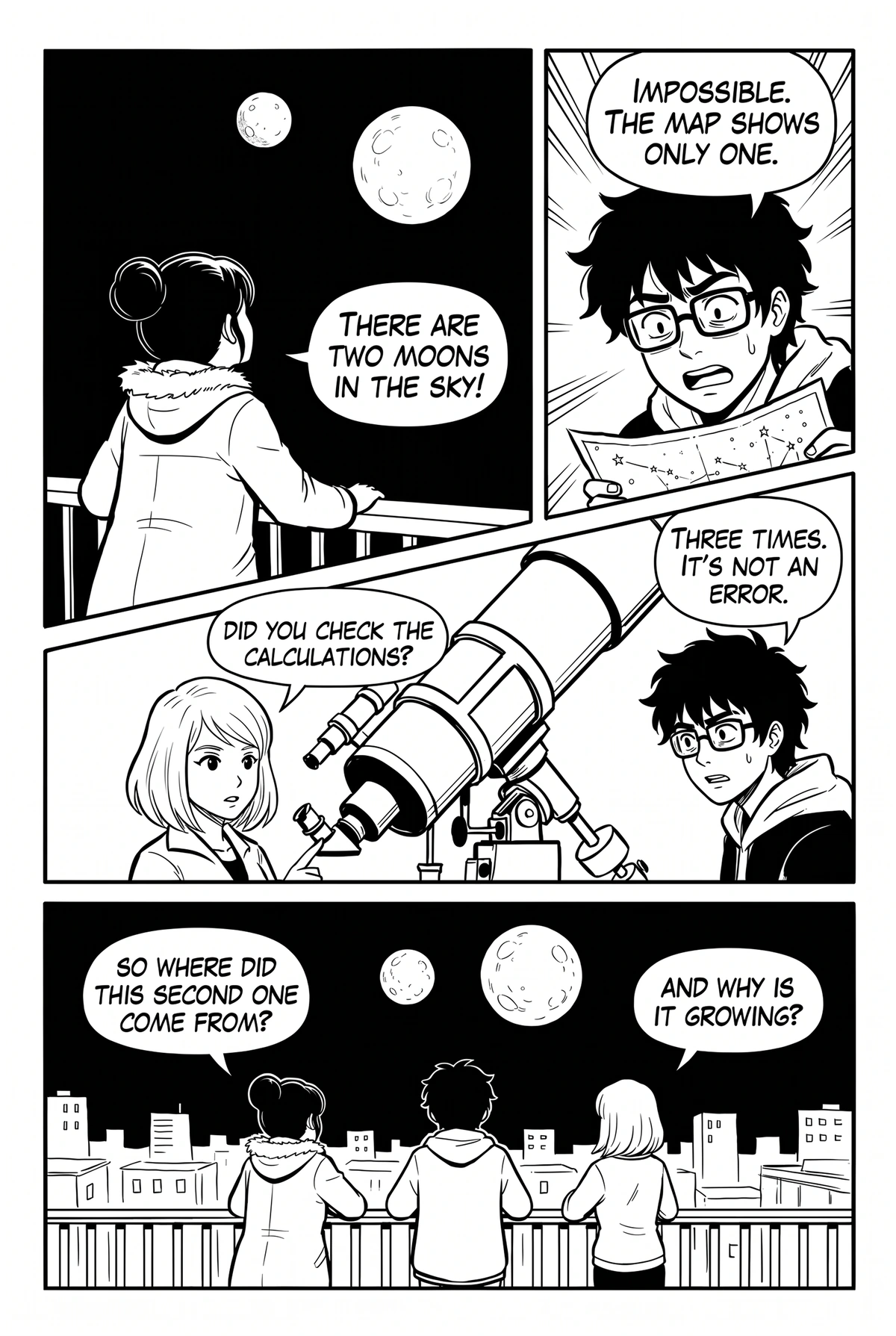
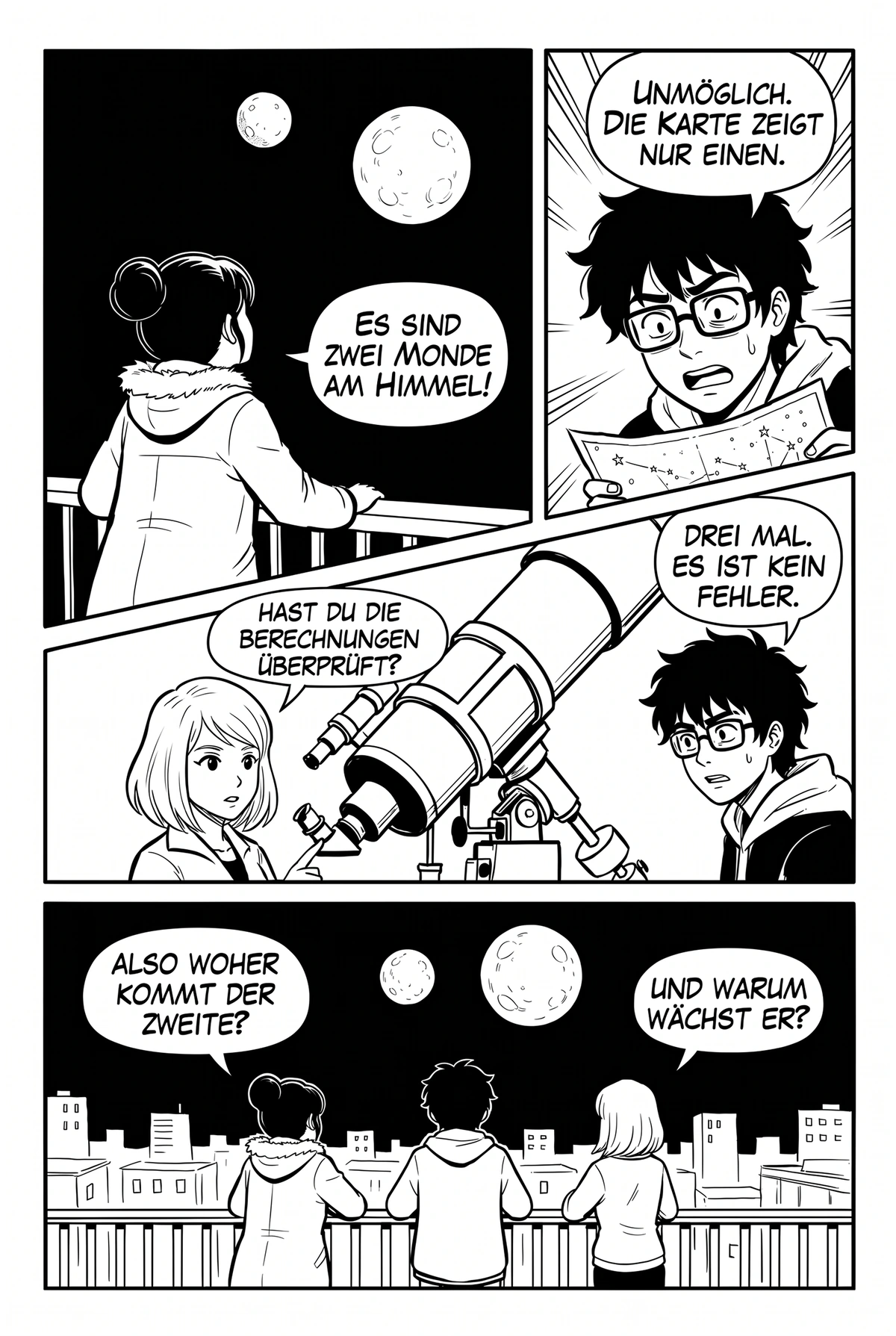
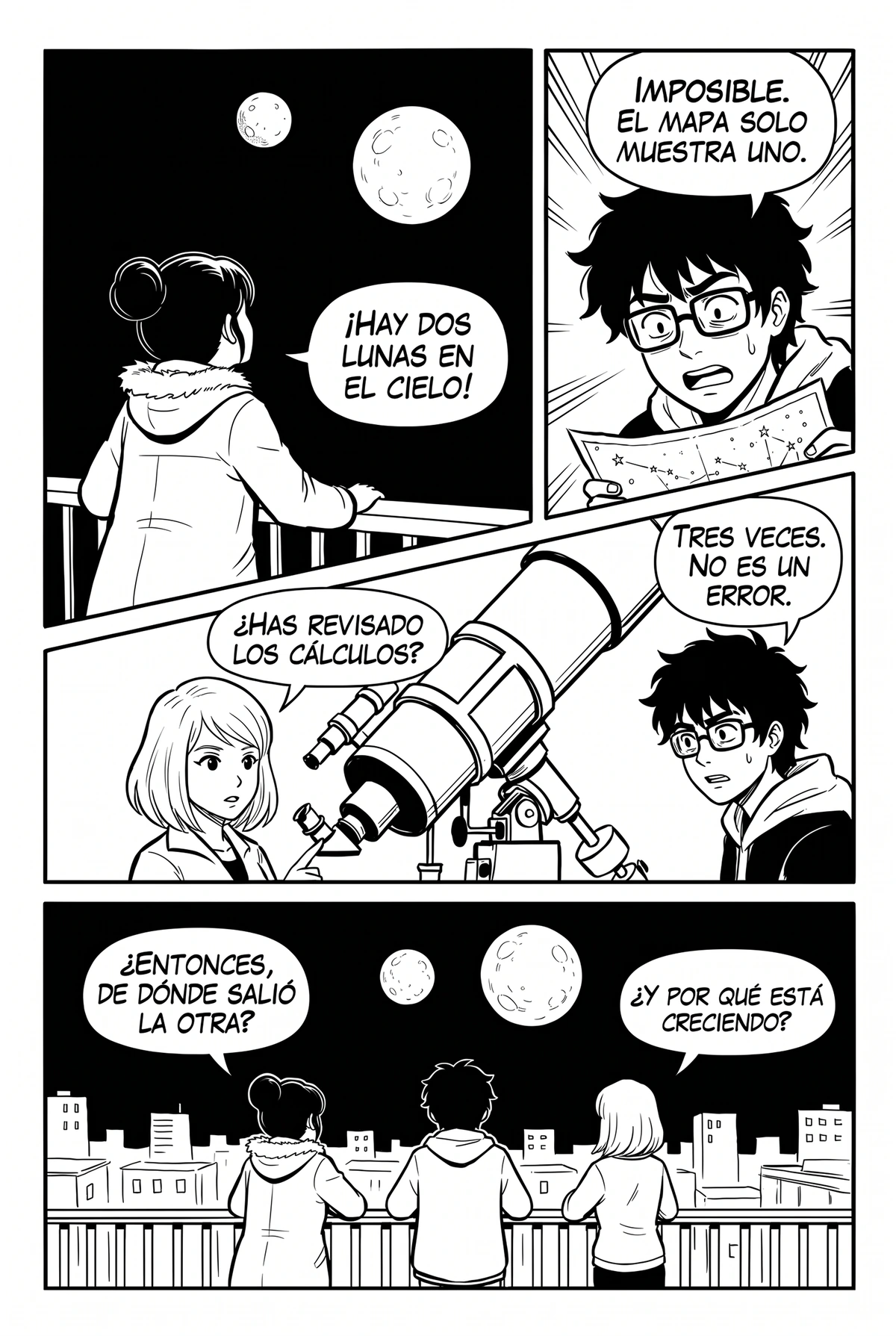
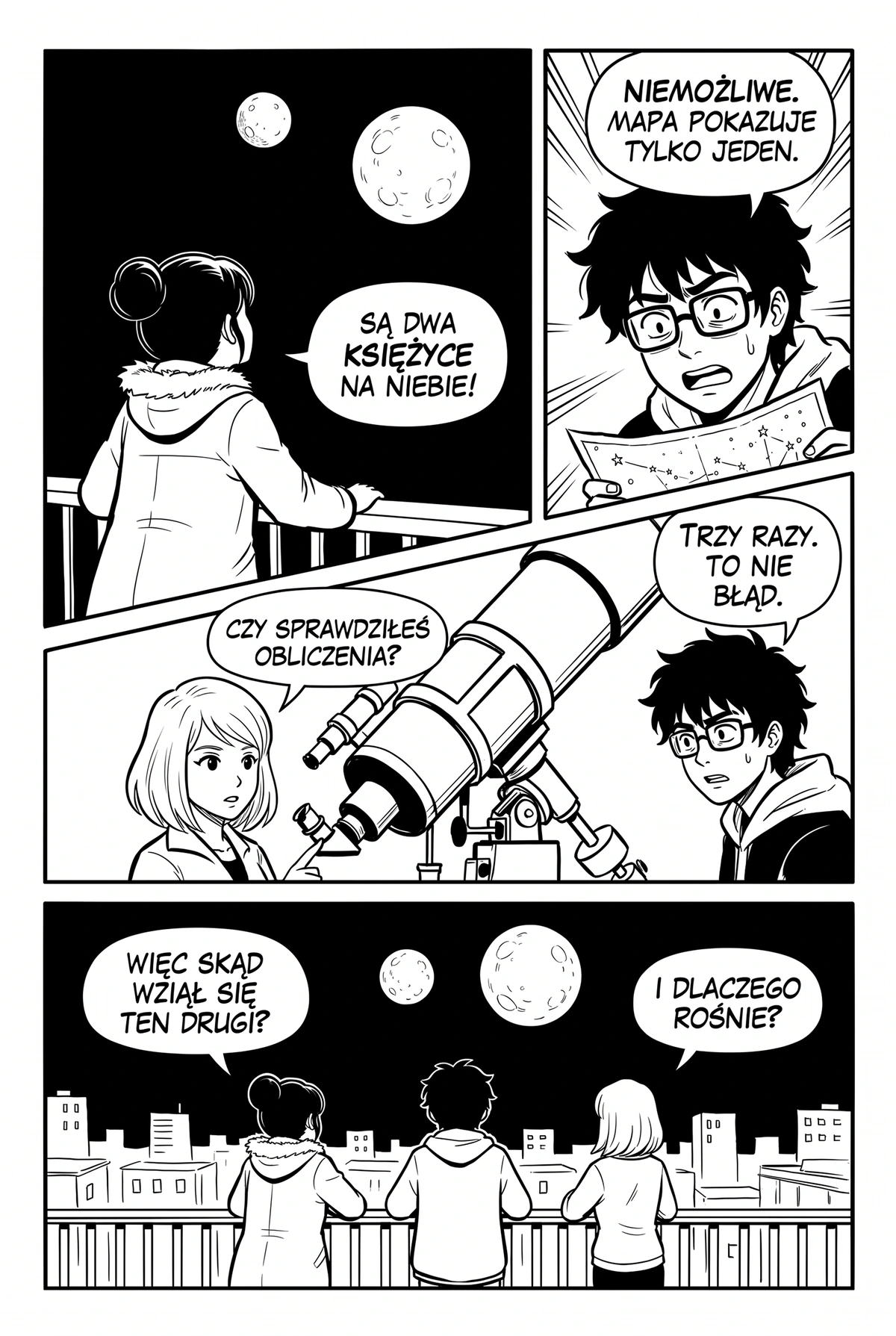
Sci-fi mystery · same page, four languages
Same scene.
A language you can read.
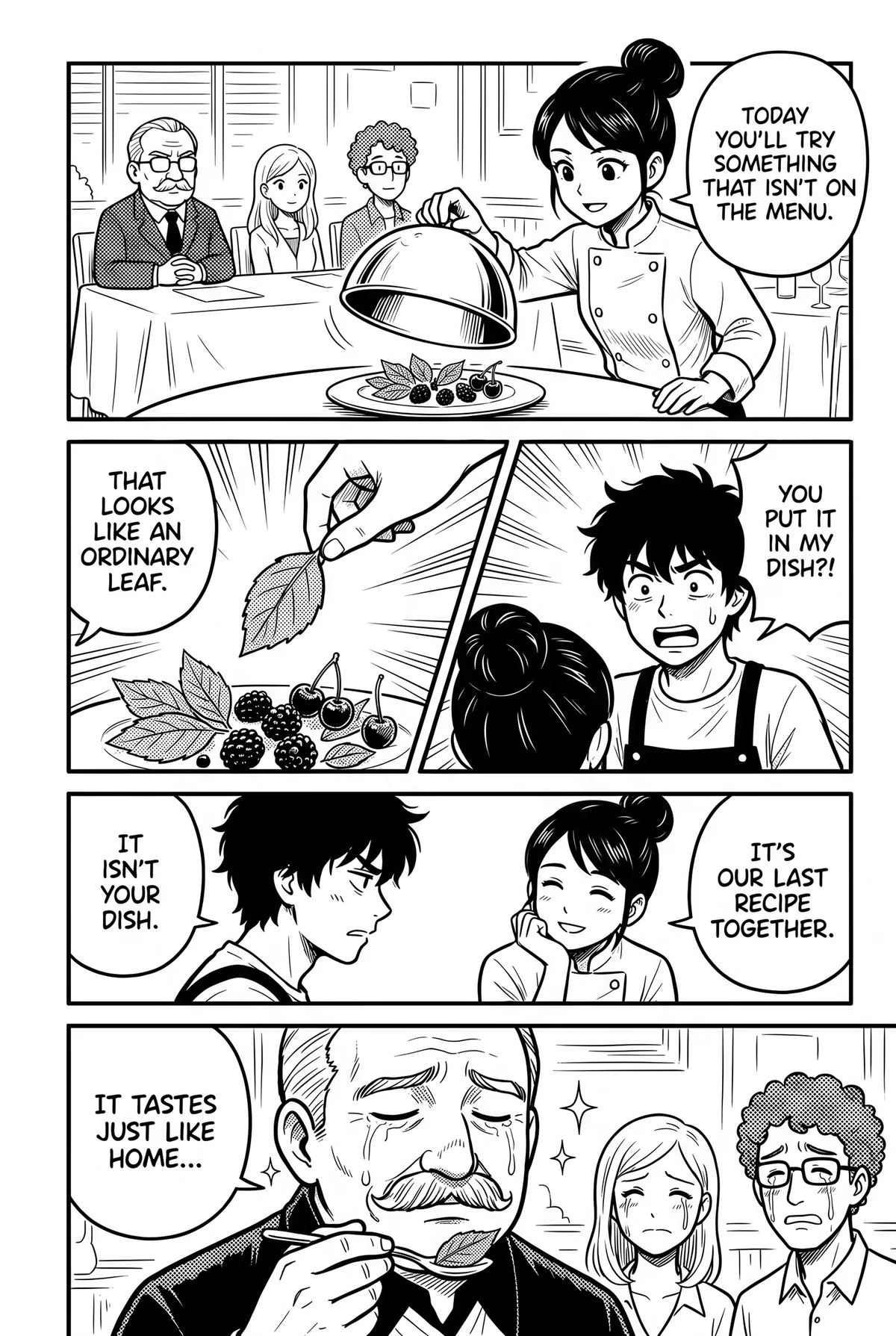
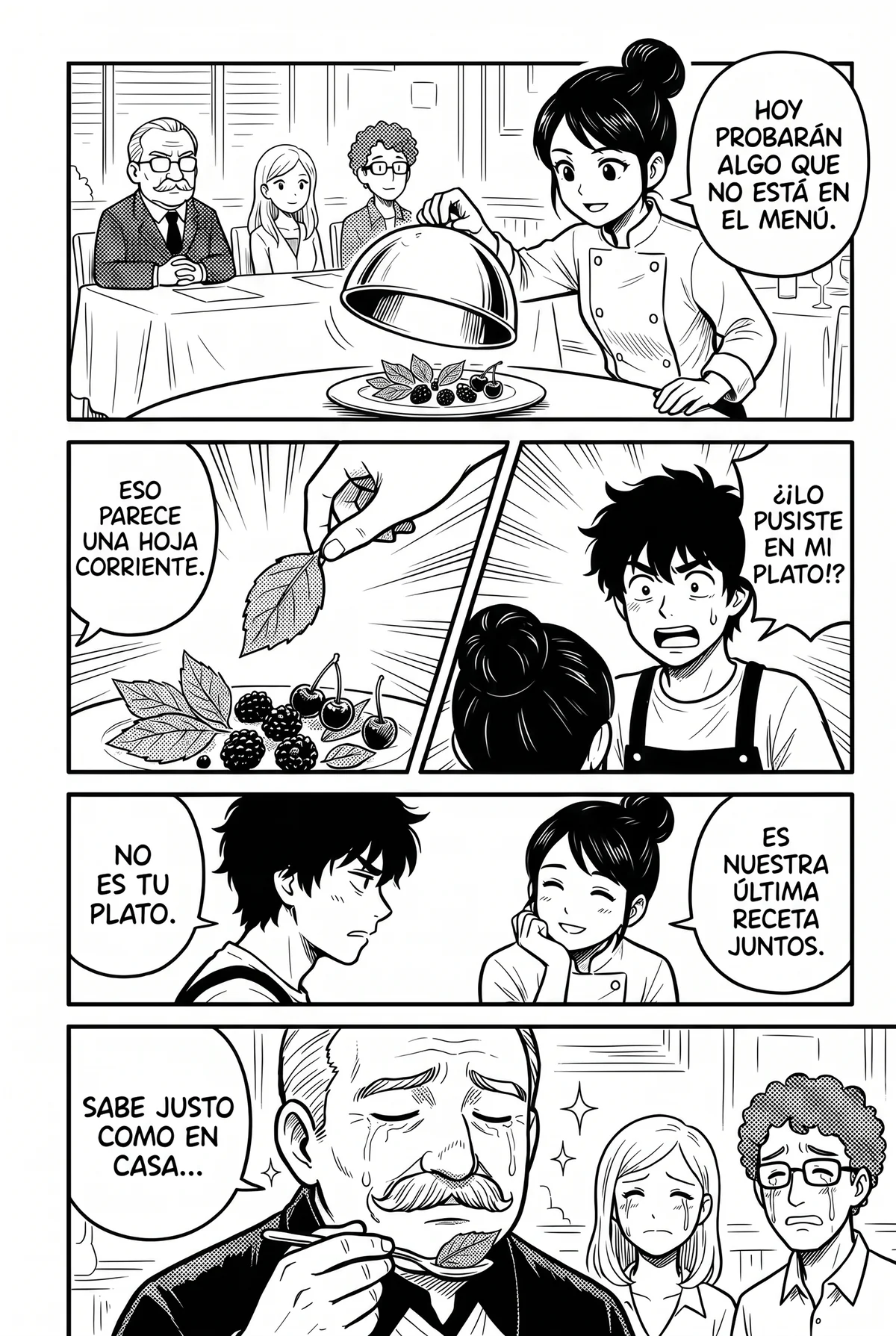
The same cooking-drama page in English and in Spanish. Drag the handle: same panels, same bubbles, a different language.
Drag the handle or use the slider · Cooking drama
Manga, manhwa, webtoon. Any language.
Pick a genre, then switch the language. The same bubbles, lettered in English, German or Spanish.
Before you pay for a translator, compare.
Free options cost you time. Paid ones usually charge per page or ask for your own API key. Here’s what you actually get for your money.
From about 1¢ a chapterOn paid plans, credits counted by text, not images · 50 free credits every week, no card, no signup · or 1,000 one-time credits for $5.99 that don’t expire
| Manhwave | Screenshot translators | Upload-a-page sites | Other translator extensions | Waiting for scanlation | |
|---|---|---|---|---|---|
| Text lettered inside the bubbles, art cleaned | ✓ | ✕pasted over the image | ~varies by site | ~some only overlay boxes | ✓ |
| Works on the site you already read, no uploads | ✓ | ~one image at a time | ✕save, upload, download | ✓ | ~ |
| Text read on your device, pages never uploaded or stored | ✓ | ✕image sent to the service | ✕full pages uploaded | ✕pages usually sent to their servers | ✓ |
| Original text one hover away | ✓ | ~toggle back to the original | ✕ | ~varies | ✕ |
| Re-reads and failed pages cost nothing extra | ✓saved translations, free retries | ✓free | ~varies | ~varies | ✓ |
| Read it today, not in weeks | ✓ | ✓ | ✓ | ✓ | ✕days to weeks, popular titles only |
| No API key to set up | ✓ | ✓ | ✓ | ~some ask for your own key | ✓ |
| Low cost for a whole chapter | ✓from about 1¢ a chapter on paid plans | ✓free, image by image | ~paid per page, adds up on long chapters | ~usually paid per image | ✓free |
| Free every week, no signup, no card | ✓50 credits a week, 100 with email | ✓free | ~a few pages a day | ~small trial, then paid | ✓free |
Columns describe typical tools of each kind as checked in September 2026; individual products differ. Credits are counted by text, not images, so a chapter with little dialogue costs less. Cancel or change your plan yourself, any time, in your account.
Pricing that respects readers.
Try free. Pay only if you actually read.
- 50 free credits every week, no signup
- 100 free credits every week after email confirmation
- Topped up weekly, never stacked
- All 26 target languages
- Font and text size controls
- 1,000 credits every month
- All 26 target languages
- Read across manga sites
- Saved translations: free to re-read
- Font and text size controls
- 3,000 credits every month
- All 26 target languages
- Read across manga sites
- Saved translations: free to re-read
- Font and text size controls
- Unlimited plan with fair use*
- All 26 target languages
- Read across manga sites
- Saved translations: free to re-read
- Font and text size controls
If you cancel, your plan stays active until your paid period ends; unused monthly credits expire at the end of their credit cycle.
Annual billing saves 33%. Starter and Plus credits renew monthly, including on annual plans.
Credits are counted by text, not images: 1 credit per started 750 characters of source text, so on paid plans a chapter costs from about 1 cent. Free credits renew every week: your free balance is topped up to 50, or 100 after email confirmation, and unused free credits do not stack. Exact use depends on how much text a chapter has.
*Unlimited is subject to fair use: heavy usage may slow or temporarily pause new translations. See terms.
Your language. One click.
No API keys to configure. Install, choose your language and start reading.
Install.
Add Manhwave to desktop Chrome. Get 50 free credits every week without signing up. Confirm your email for 100 every week.
Click Translate.
Open a chapter, click the Manhwave icon and choose your target language. Click Translate, then scroll at your own pace.
Read.
Translations sit inside the original bubbles in manga lettering. Hover any line to see the source text. Re-reads are instant thanks to the cache.
Built by readers, for readers.
Every feature exists because we got tired of the workaround. No filler.
Tuned for comics
Built around speech bubbles and comic layouts. Manhwave brings translated dialogue back into the page with lettering designed for manga and manhwa.
Works where you already read
Official platforms such as WEBTOON, Tapas, Tappytoon and Manta, and other reader sites. There is no fixed list: if a chapter’s pages load as regular images, Manhwave can read them.
26 target languages
Reads English, Japanese, Chinese and Korean. Translates into English, Polish, Spanish, Romanian, French, German, Portuguese, Italian, Russian, Indonesian, Vietnamese, Thai, Turkish and more.
Art stays art
Original lettering is cleaned out and the background beneath it reconstructed, so translations sit inside the scene. Results depend on the artwork and page quality.
Instant re-reads
Reopen a saved translation without spending credits again. A new language or a new translation counts as new work.
Private by design
Detection, OCR and artwork cleanup run on your device. Extracted text is sent for translation, and your pages are never uploaded or stored.
Does it change the site or the images?
Which languages can it translate from?
How is this different from a screenshot translator?
Does it work on phones?
Is this legal?
What happens to my data?
Which sites does it work on?
Can I cancel?
What happens to my credits if I cancel?
Why pay if free MTL exists?
The next chapter
just dropped.
Don’t wait for the scanlation team.
Add to Chrome. It’s free →50 free credits every week · no signup · desktop Chrome