Using ChatGPT to translate manga: a fair look at the workflow.
General chatbots such as ChatGPT and Gemini can accept an image, so you can upload a manga page and ask for a translation. You get text back, not a lettered page. Here is a prompt that gets useful answers, the full workflow, and where a dedicated translator saves you time.
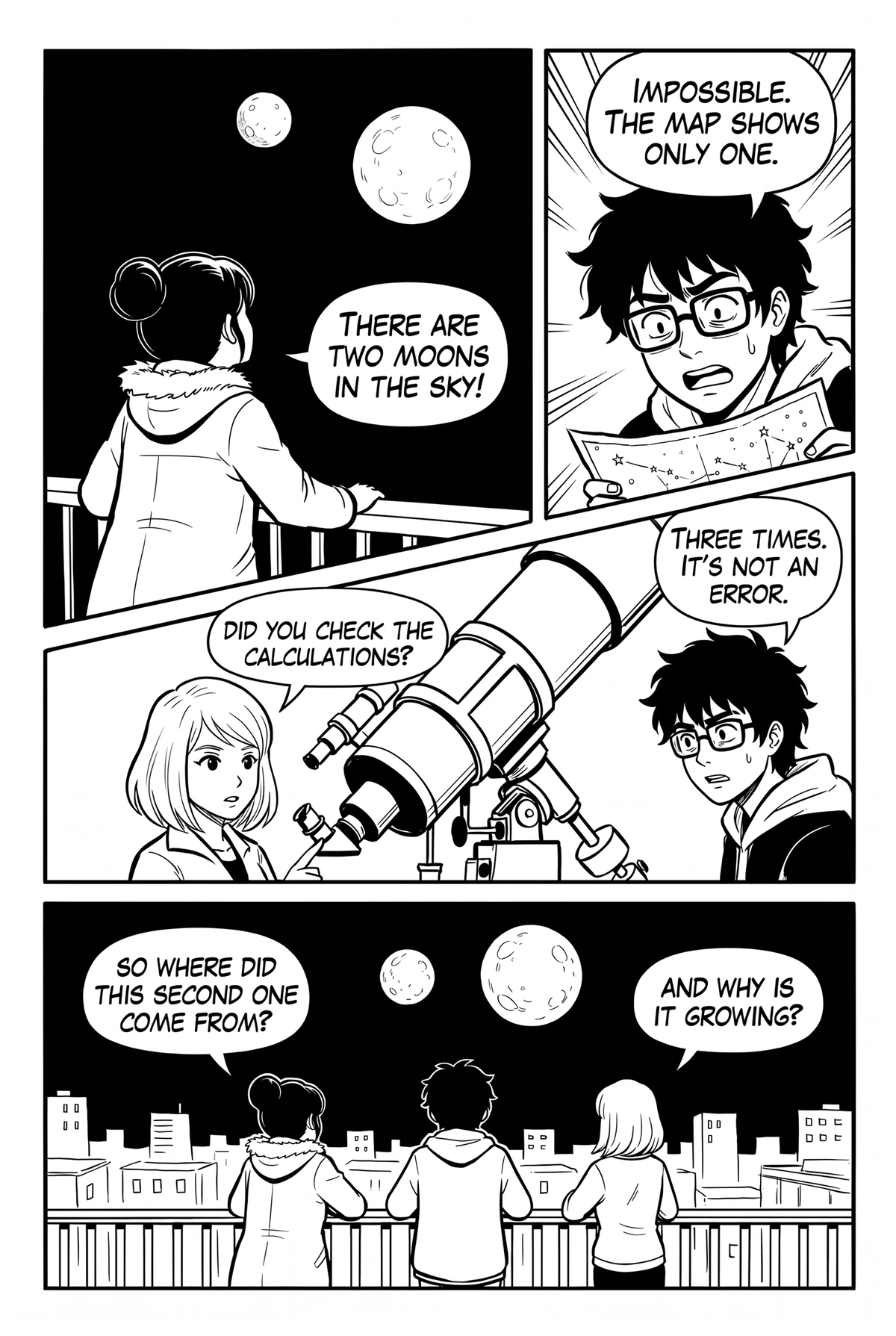
Can you translate manga with ChatGPT?
Yes, in a limited way. You can upload a page or a screenshot to a chatbot that accepts images, such as ChatGPT or Gemini, and ask it to list each bubble in reading order with a translation. It is good for understanding one page, explaining a joke or checking a term. It does not put the translation back into the bubbles, and doing a whole chapter means uploading every page by hand.
Key facts
- Chatbot workflow: screenshot, upload, prompt, read a text answer.
- Strong at explaining puns, honorifics and cultural references.
- Weak for whole chapters: one page at a time, no lettering, the page image leaves your computer.
- A manga translator letters the page on the reader site and keeps the chapter in context.
How to translate manga with ChatGPT step by step.
This works with any chatbot that accepts image uploads. Features and limits differ by plan and change often, so check your own account.
Capture the page
Save the page image or take a screenshot. One page per upload works better than a long strip; cut webtoon strips into screen-sized pieces.
Upload it with a clear prompt
Use the prompt below so the answer follows the reading order and keeps names consistent.
Read the answer next to the page
You get a numbered list of bubbles. Match each number to a bubble yourself.
Keep the conversation going
Upload the next page in the same chat and ask it to keep the same names and tone. Start a new chat for a new chapter so old context does not leak in.
Ask questions
This is where chatbots shine: ask why a character is rude, what an honorific implies or what a pun meant.
A ready-to-use prompt for manga pages.
Copy this, change the languages, and paste it with your first page:
"This is page 1 of a Japanese manga chapter. Read the speech bubbles in the correct reading order (right to left, top to bottom). For each bubble give: its number, the speaker if you can tell, the original text, and a natural English translation that fits a comic. Keep character names and honorifics consistent and list them at the end so I can reuse them on the next pages. Do not translate sound effects; list them separately with a short meaning. If you cannot read a line, say so instead of guessing."
For Korean or Chinese, change the reading order to left to right. Asking it to flag lines it cannot read matters: a chatbot that cannot make out a blurry bubble may still produce a confident sentence. Paste the name list back at the start of each new page to keep the cast stable.
Where chatbots are genuinely good.
- Explaining, not just translating. "Why does she call him that?" or "What is the joke here?" gets a real answer with background.
- Checking one line. If a translation looks odd, a chatbot can offer alternatives and explain the nuance.
- Learning. Ask for a word-by-word breakdown of a sentence; useful if you are learning Japanese with manga.
- Flexible output. You can ask for a literal version, a natural version, or notes on wordplay.
For a single puzzling page, that is hard to beat. The trouble starts when you want to read a whole chapter the way you read a comic.
Where a manga translator wins.
| General chatbot | Manhwave | |
|---|---|---|
| Output | Text answer in a chat | Translation lettered into the bubbles on the page |
| Whole chapter | Upload page by page | Click Translate this chapter once; pages in view come first |
| Where the page is read | The page image is uploaded to the chatbot | Detection and text recognition on your computer; full pages never uploaded or stored |
| Names across pages | Only if you keep repeating them | Handled across the chapter |
| Original text | Retyped in the answer | One hover away on the page |
| Sound effects | As you ask | Left as drawn |
| Cost | Depends on your chatbot plan | 50 free credits every week; paid from about 1 cent per chapter |
We describe general chatbot workflows; we did not test ChatGPT or Gemini for this article.
The biggest difference is the reading experience. With a chatbot your eyes jump between the page and a list of numbered lines. With an in-page translator the comic reads like a comic. The second difference is effort: a 40-page chapter means 40 uploads in a chat, against one click.
Privacy is the third. Uploading a page to a chatbot sends the full image to that service. Manhwave reads the text in your browser and never uploads or stores your pages. Our Google Lens guide covers the same trade-off for screen tools.
Can Gemini or Claude translate manga too?
The workflow above is the same for any chatbot that reads images, including Gemini and Claude. Their image reading, limits and prices differ and change, so we do not rank them here. Whatever you use, the same rules help: one page per upload, a clear reading order in the prompt, a name list carried from page to page, and a request to flag any line it cannot read.
If you are deciding whether machine translation is good enough at all, read what MTL means and its quality checklist. The comparison of DeepL and Google Translate for manga covers the classic translation engines.
EN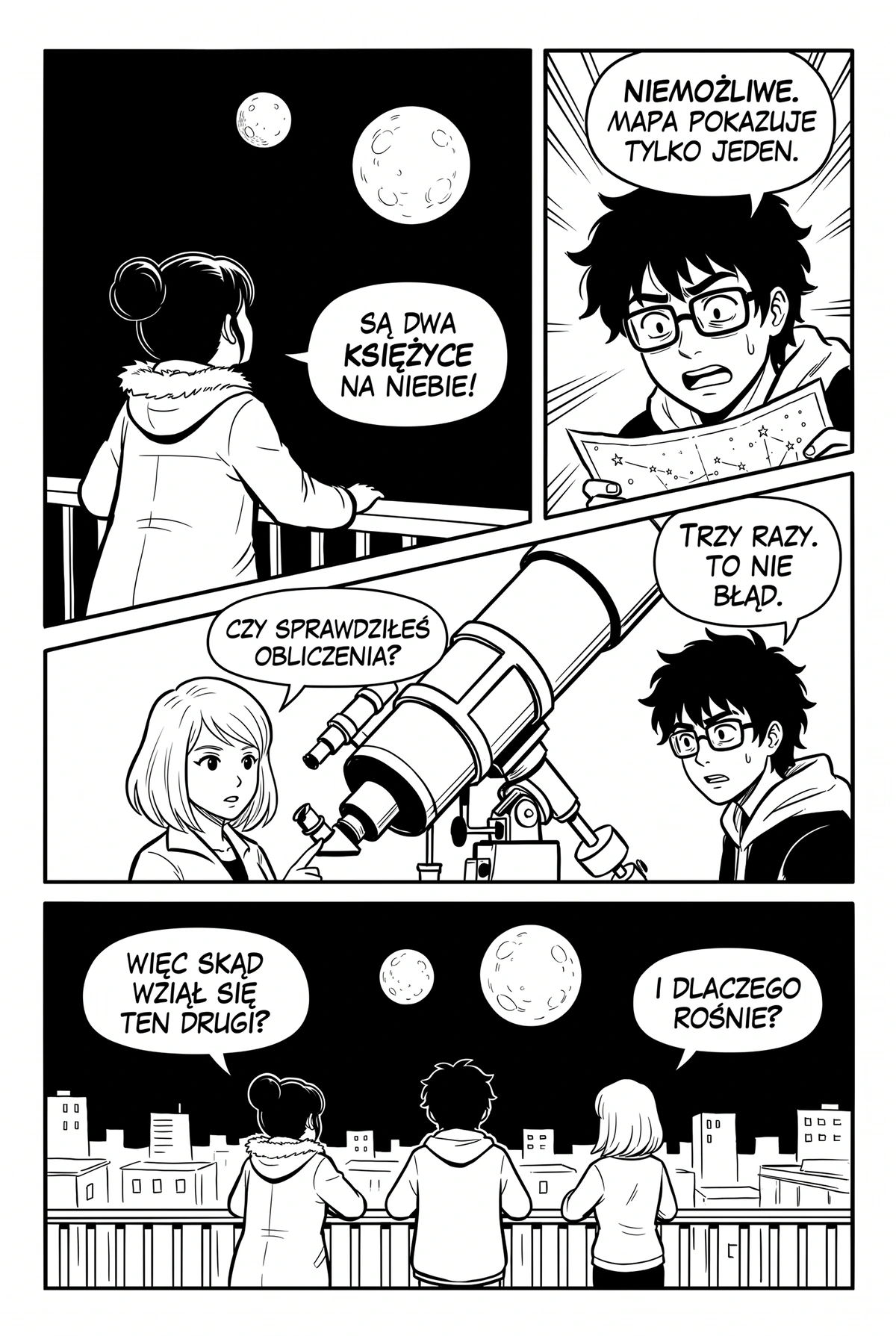 PL
A practical combined routine.
Many readers end up using both. Read the chapter with an in-page translator, and when one line is puzzling, hover it to see the original and ask a chatbot to explain that one sentence. You read at comic speed and still get the cultural notes when you need them.
Manhwave reads English, Japanese, Chinese and Korean pages and translates into 26 languages in desktop Chrome. You can start without an account: 50 free credits every week, or 100 after confirming your email. See pricing for paid plans or get started now.
What we measured and what we did not.
Our numbers come from Manhwave only. We did not run ChatGPT, Gemini or Claude for this article; the chatbot workflow is a general description.
Credits are counted by text, not by images: 1 credit per started 750 characters of source text, so long webtoon strips are not more expensive. Paid reading costs from about 1 cent per chapter.
On a 20-page chapter the first translated page appeared after a median of about 5 seconds and the whole chapter took about 37 seconds.
A 20-page and a 17-page manga chapter, 4 runs with the production setup: every page translated, 0 failed pages.
Checked October 2026. Chatbot features and limits change often; check your own plan.
Questions, answered.
Can ChatGPT translate manga?
Can Gemini translate manga?
What is the best prompt to translate manga with ChatGPT?
Is using ChatGPT to translate manga private?
Is ChatGPT better than a manga translator?
By the Manhwave team · Last updated: October 11, 2026.
Related guides.
Read the chapter, ask the chatbot later.
Let Manhwave letter the whole chapter on the page, and keep a chatbot for the one line you want explained.
Add Manhwave to Chrome for free50 free credits every week · no card · desktop Chrome