Read raw Japanese manga in English, on the page you already use.
A raw is a chapter in its original Japanese, before any English edition exists. You do not need to know Japanese to follow it, and you do not need to upload anything. This guide shows how to translate raw manga to English step by step, what to expect from vertical text and names, and what a chapter really costs.
How do I translate raw manga to English?
Open the raw chapter in desktop Chrome, set English as the target language in a manga translator extension such as Manhwave, and click Translate this chapter. It finds the bubbles, reads the Japanese (vertical columns included), translates each page and letters the English into the bubbles while you scroll. You get 50 free credits every week without an account, and paid reading costs from about 1 cent per chapter.
Key facts
- Raw means the original Japanese release, not a pirated copy.
- Vertical Japanese text is read column by column, right to left.
- Credits are counted by text, not by images, so long webtoon strips are not more expensive.
- Hover a bubble to see the original Japanese line.
What raw manga actually means.
In reader slang, a raw is a manga chapter in its original language with no translation. For Japanese manga that usually means the chapter as published by the Japanese magazine or app, often weeks, months or years before an official English edition.
Raw does not have to mean unofficial. Japanese publishers run their own reader apps and websites, and many offer free first chapters or pay-per-chapter access. Reading raws there supports the creators and is the cleanest way to follow a series ahead of the English release. Manhwave does not host comics; it translates the pages you open on the sites you choose.
How to translate raw manga to English, step by step.
Install the extension
Add Manhwave to Chrome on a desktop computer from the Chrome Web Store. There is no account to create and no AI API key to paste in.
Open the raw chapter
Go to the reader page where the chapter is shown. It needs to show pages as regular images; pages drawn on a protected canvas cannot be read.
Choose English
Set English as the target language. Japanese is detected from the page, so there is nothing else to configure.
Click Translate this chapter and read
The pages you are looking at are translated first. Scroll at your own pace; there is no auto-scroll, and other tabs are not translated in the background.
Check a line when you need to
Hover over any translated bubble to see the original Japanese text.
If a page fails, you can retry it without paying again, and coming back to a saved chapter in the same language costs nothing. If you only want to check a single panel, Google Lens is a quick free alternative, but it works one image at a time.
Vertical text, furigana and sound effects.
Japanese manga is the hardest of the three Asian comic traditions to read automatically. Three details explain most of the difference.
- Vertical columns. Dialogue runs top to bottom in columns read from right to left. The text reader has to keep that order, or sentences come out scrambled. Manhwave reads vertical and horizontal Japanese.
- Furigana. Small reading aids printed beside kanji are useful to learners but noise to a text reader. Very small or stylised print is where any OCR is most likely to slip, so a wrong word in a tiny side note is worth checking with the hover.
- Sound effects. Hand-drawn effects are part of the art. Manhwave leaves them as drawn instead of painting over the drawing.
For a deeper look at how text recognition handles these cases, see our explainer on manga OCR.
EN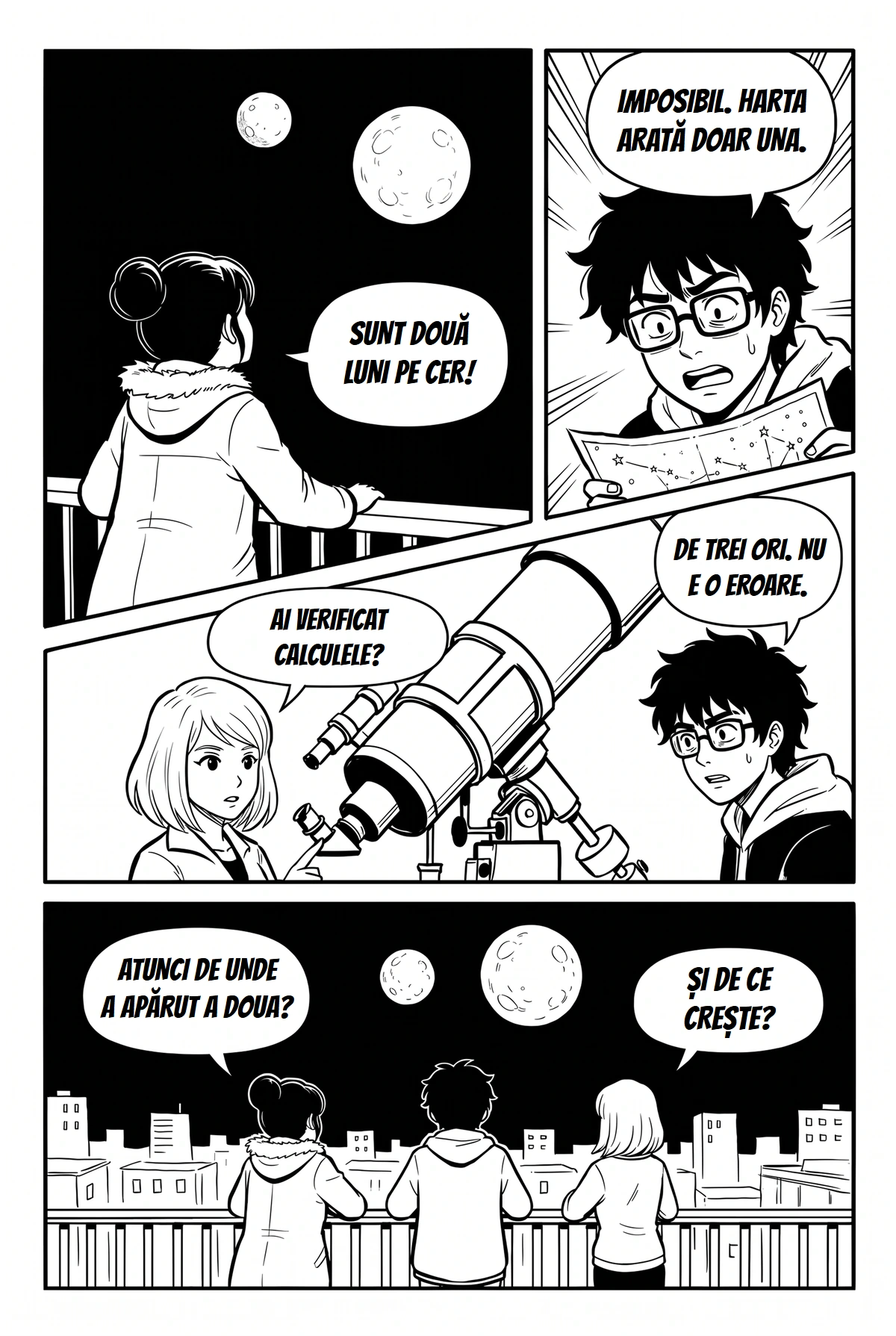 RO
Names, honorifics and tone.
Word-by-word machine translation is what gave MTL its bad name: names that change spelling every page, jokes that turn literal, characters who all sound alike. Translating a page as a whole fixes most of that, because the translator sees who is speaking to whom.
Two habits help. First, read a few pages before judging: early pages set up names and how people address each other. Second, use the hover when a line feels off. Japanese leaves out subjects and pronouns all the time, so "who did it" is sometimes a guess in any translation, human or machine.
Raw machine translation is still not a professional localisation. If you want to understand the difference between the two, read MTL vs scanlation.
What a raw chapter really costs.
Manhwave counts 1 credit for every started 750 characters of source text in a chapter, so cost follows the amount of dialogue, not the number of pages, so long webtoon strips are not more expensive.
| Option | Price | Credits | Per chapter |
|---|---|---|---|
| Free, no account | $0 | 50 every week | free, topped up every week |
| Free, email confirmed | $0 | 100 every week | free, topped up every week |
| Starter | $4.99 a month | 1,000 | from about 1 cent |
| One-time pack | $5.99 | 1,000, never expire | from about 1 cent |
Free credits are topped up every week, not stacked. Unlimited is $19.99 a month under fair use. Full details on the pricing page.
See the plans and prices, or start with the free weekly credits and see how far they take you.
Limits to expect before you start.
- Desktop Chrome only. There is no mobile version and no Firefox or Safari version.
- Regular images only. Readers that draw pages on a protected canvas cannot be translated.
- No file uploads. If your raws are PDF or CBZ files on your disk, you need a tool that accepts uploads.
- Machine translation. It is fast and readable, but puns, wordplay and cultural references can lose their bite.
If you read English releases and want them in another language instead, the guide to translating manga into your own language is the one for you.
What we measured.
Our own measurements on complete manga chapters, with no series names.
Credits are counted by text, not by images: 1 credit per started 750 characters of source text, so long webtoon strips are not more expensive. Paid reading costs from about 1 cent per chapter.
Version 0.3.3 with the production translation setup: a 20-page and a 17-page manga chapter, four runs, every page translated, no failed pages and no re-sends.
Timing runs on a 20-page chapter: first translated page after about 5 seconds, whole chapter after about 37 seconds.
Checked October 2026. Results vary with the site, the artwork and the amount of text.
Questions, answered.
What is the best raw manga translator?
Can I translate Japanese manga to English for free?
How do you read raw manga?
Is it legal to translate manga for personal use?
Does a manga translator handle vertical Japanese text?
By the Manhwave team · Last updated: October 11, 2026.
Related guides.
Your next raw, in English.
Open the chapter in desktop Chrome, click Translate this chapter and keep reading.
Add Manhwave to Chrome for free50 free credits every week · no card · desktop Chrome